
Learn how to consume MATTR VII Webhooks
Overview
In an OID4VCI issuance workflow, you may want to trigger additional actions once a credential has been successfully issued. For example, sending a notification, updating a database, or invoking a downstream system.
MATTR VII Webhooks provide a simple way to achieve this by notifying consuming applications when specific events occur.
This tutorial will guide you through creating a webhook in your MATTR VII tenant and using a sample application to consume the webhook, verify the request, and display the event payload when a credential is issued. You can then adapt principles demonstrated in this tutorial to suit your specific use cases.
Tutorial overview
The current tutorial builds upon the Authorization Code or Pre-authorized Code tutorials by adding the following steps:
- Create a MATTR VII Webhook: Configure MATTR VII to send a Webhook event when a credential is issued.
- Set up a webhook receiver sample app: Use a sample Node.js application that achieves the following:
- Exposes a public endpoint to receive Webhook events.
- Verifies the authenticity of incoming requests using MATTR VII's public keys.
- Logs the received event payload to the console.
Prerequisites
- Complete either the Authorization Code or Pre-authorized Code tutorials to configure a credential issuance flow.
- Node.js 18+ installed locally.
- To test locally you will need to expose your local consumer app to the internet. You can do this by setting up a free ngrok account, using a Cloudflare tunnel or using your own solution. For this tutorial we will be using ngrok. Sign up for a free account at ngrok.com.
Tutorial steps
Create a MATTR VII Webhook
- Log in to the MATTR Portal and navigate to the Webhooks section under Platform Management.
- Click on Create new.
- Use the Event type checkbox to select Open ID credential issued. This event is triggered upon completion of an OID4VCI workflow.
- In the URL field, enter
https://example.com. This is the URL that will receive the Webhook events data payload when they are triggered by MATTR VII for the specified events. We will update this to your webhook receiver sample app URL later. - Click on Create to create the Webhook.
- Copy the ID value. You will need it to configure the webhook receiver sample app.
Set up the Webhook receiver sample app
- Clone the MATTR Sample Apps repo to your machine and navigate to the
webhook-appfolder. - Rename the
env-examplefile to.env. - Open the
.envfile and set the following environment variables:
MATTR_TENANT_URL: Your MATTR VII tenant URL.MATTR_WEBHOOK_ID: The Webhook ID you copied when creating the Webhook in the previous step.NGROK_AUTHTOKEN: Your ngrok authentication token.PORT: Port for the webhook server (optional, defaults to 3000).
- Install and start the app:
npm install
npm run dev
Or using Docker:
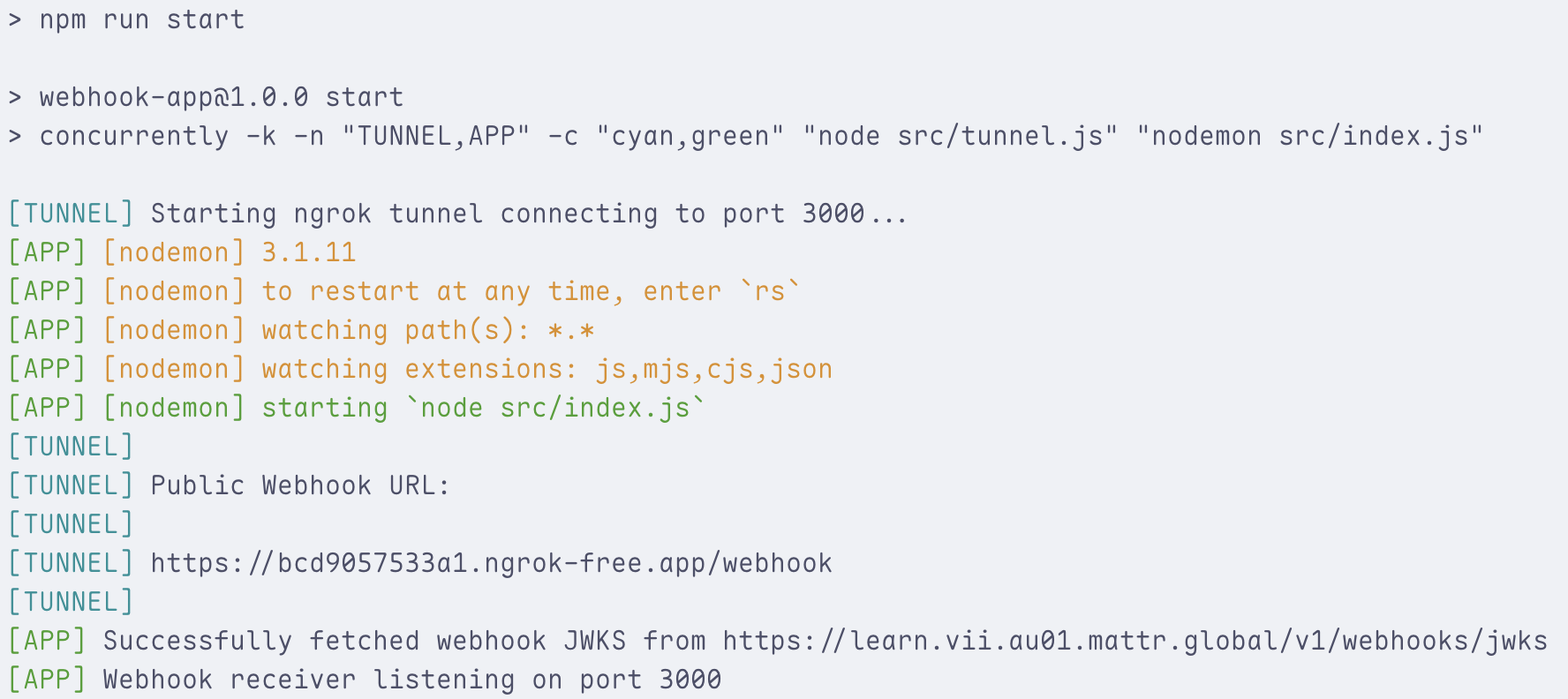
docker compose up --buildYou should see output indicating that the server is running and ngrok is set up, as shown in the following image:
- Copy the
Public Webhook URLfrom the ngrok output (e.g.,https://5d81c4374916.ngrok-free.app/webhook). You will use it to update the Webhook URL in MATTR VII.
The sample app core logic is within the /src/index.js file. You can review annotations in the sample app code to understand how it:
- Fetches MATTR VII's public keys to verify incoming requests.
- Verifies the request signature.
- Logs the received event payload to the console.
Update the Webhook URL in MATTR VII
- Log in to the MATTR Portal and navigate to the Webhooks section under Platform Management.
- Select the Webhook you created earlier to open its details.
- In the URL field, enter the
Public Webhook URLyou copied from the ngrok output in the previous step. - Click on Save to apply changes.
Test the workflow
- Use the MATTR GO example app to claim the credential offer you created in the Authorization Code or Pre-authorized Code tutorials.
- When the credential is issued, MATTR VII will trigger the webhook.
- You should see the received event payload in the terminal window where your sample app webhook receiver is running. You can refer to the Webhooks guide for a detailed structure of the events payload.
What’s next?
Now that you have a working webhook consumer, you can extend the application to perform more meaningful actions based on the received events, as opposed to merely logging them. For example, you could:
- Store credential issuance events in a database.
- Trigger downstream APIs for automated workflows.
Production considerations
When moving your Webhooks usage into production, consider the following best practices:
-
Secure your Webhook endpoint:
- Require HTTPS at all times.
- Use a firewall or allowlist to limit inbound traffic.
- Validate that requests are signed with MATTR VII’s public keys (as shown in this tutorial).
-
Make event processing idempotent:
- MATTR VII does not guarantee that events arrive in order or only once.
- Deduplicate by checking the
event.idordeliveryIdin the payload before processing. - Ensure that reprocessing the same event has no negative effect (e.g., sending duplicate emails, double-updating a record).
-
Add monitoring and logging:
- Capture request/response logs for debugging and auditing.
- Monitor webhook failures, retries, and timeouts.
- Consider alerting if repeated failures occur.
How would you rate this page?
Last updated on